
From the first phone call to the finished install.
Here’s how a job moves through InstallFlow — and who touches it along the way.
- 1
A lead comes in
A customer calls or emails. Anyone who takes it logs a lead for the right rep — it lands with that rep and their sales admin right away.
Sales AdminDispatchTechnician - 2
The rep visits the site
On their phone, the rep fills in a quote request: customer, site, equipment, power and photos. No signal? It saves on the phone and sends later.
RepTechnician - 3
The office prices it
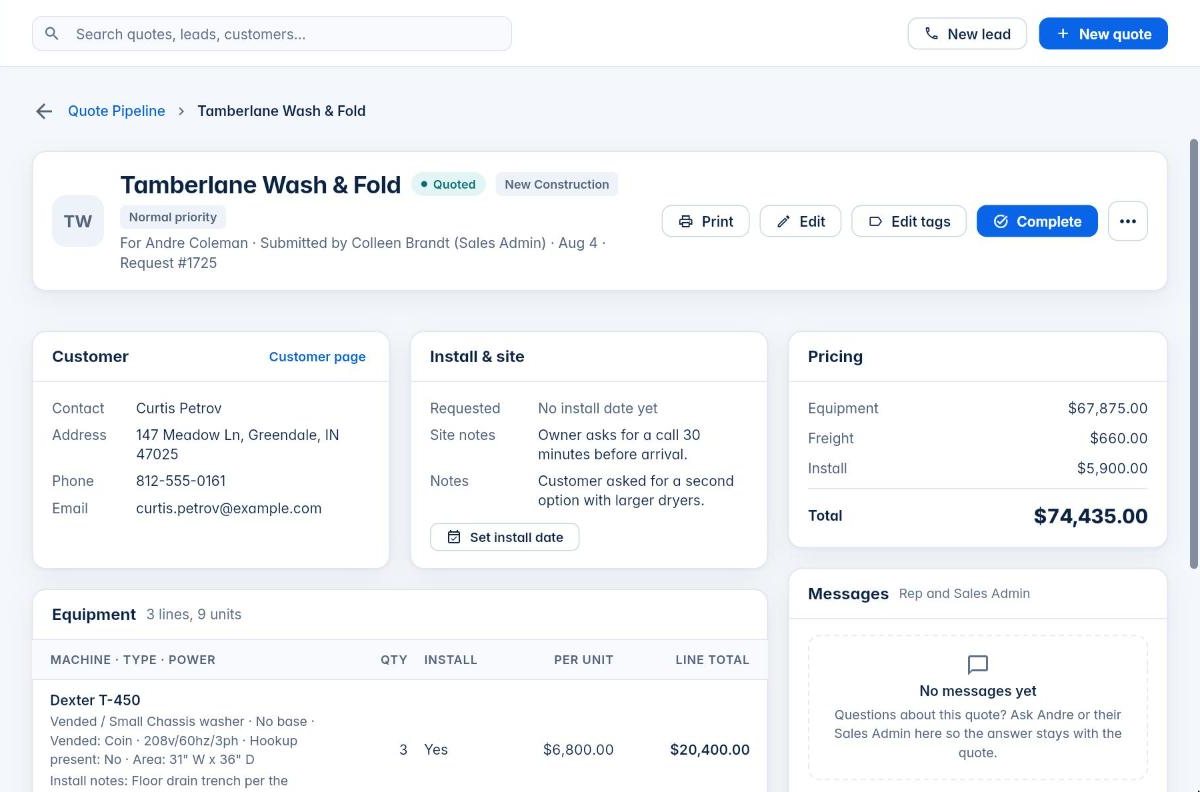
The sales admin opens the request, messages the rep with questions, prices it and tags it Quoted. It moves into the Pipeline.
Sales Admin - 4
Open quotes get followed up
Every quote still out comes back on the Follow Up list at 2, 4 and 8 weeks. Mark it followed up, Sold or Lost from there.
RepSales Admin - 5
It sells — and becomes an order
Mark it Sold and it becomes an order. Order Status tracks it through paperwork, deposit and equipment to a scheduled install, and on to paid.
Sales AdminRep - 6
Dispatch runs the install
The install goes on the shared calendar as tentative or confirmed. Dispatch sees the contact, address, equipment and notes — without prices — and any date change needs approval.
DispatchManagement - 7
Parts and service, after the sale
When a machine needs parts or a visit, a rep or tech files a Parts Request for the Parts Specialists or a Service Request for Dispatch — on the same customer.
RepTechnicianParts SpecialistDispatch - 8
Management sees the whole picture
Reports show quotes requested and sent, sales, time to quote and win rates by rep and job type, for any day, week, month or year.
ManagementApp Admin
Up and running without an IT project.
There’s nothing to install on a server and nothing to buy from an app store.
Demo
We walk through your current process and show how it maps to InstallFlow.
Set up
We create your company, your people and their roles with you.
Install
Everyone opens the link and adds InstallFlow to their home screen.
Go live
Start logging leads and quote requests — we’re there as questions come up.
Changes show up everywhere, as they happen.
When a rep submits a request, the sales admin sees it. When dispatch moves an install, the calendar updates for everyone. No refresh, no “did you get my text?”
- Live lists and badges on every device
- Message threads on each lead and quote
- Alerts for new quotes and pending date changes
Give your installation process one place to live.
See how InstallFlow takes a job from the first phone call to a finished install — with your team’s roles, your process and your calendar.