Everything between the first call and the finished install.

InstallFlow brings field quote requests, leads, the pipeline, orders, parts and service, the install calendar and reports into one app — with the right view for each person on your team.

Features

Field quote requests

Everything the office needs, captured on the first visit.

Reps and technicians fill in one quote request from their phone: the customer, the site, each piece of equipment, the power details and photos. Tap a manufacturer tile and an equipment type instead of typing them, and required fields are checked before it’s sent — so the office doesn’t have to call back for what’s missing.

  • Manufacturer tiles and equipment types — your list, kept by your admins
  • Photos of the site and each piece of equipment
  • Drafts save partway through and pick up later
  • Technicians can file on a rep’s behalf — routed to that rep’s sales admin
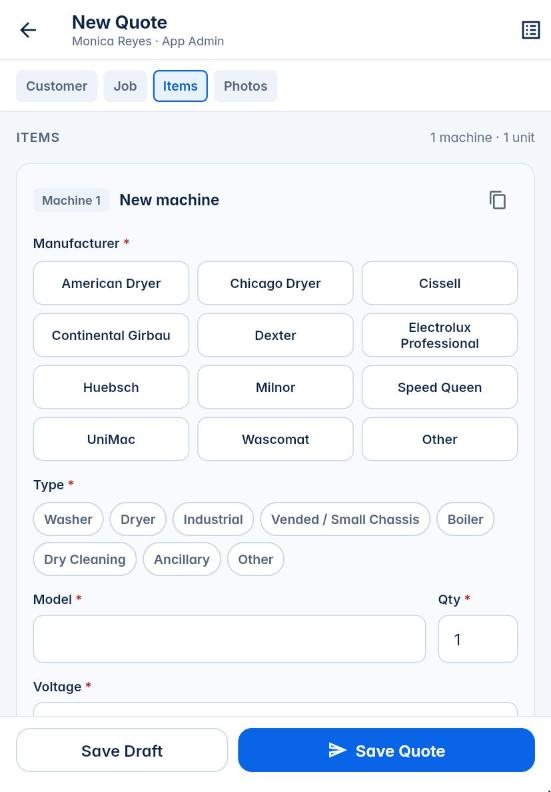
The InstallFlow quote form on a phone: tap a manufacturer tile and an equipment type for each machine
Real InstallFlow screen · test data

Address autofill

Start typing the street. Pick the address.

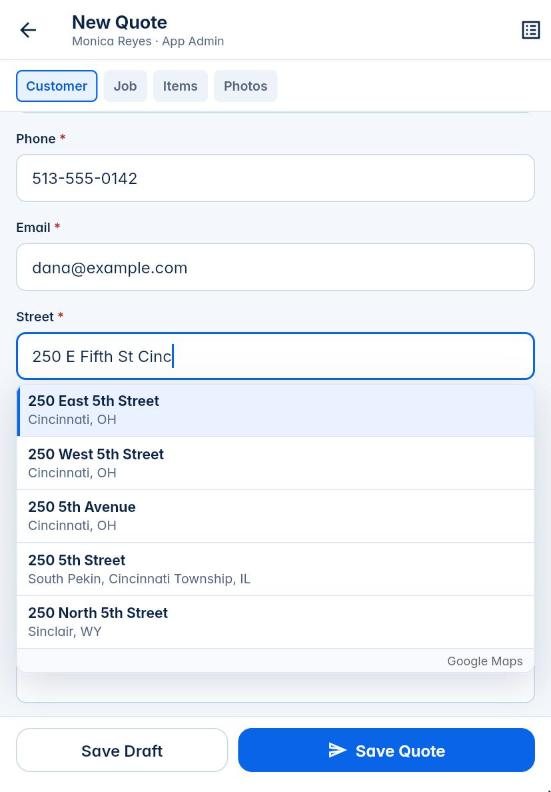
As someone types a street on a quote or a facility address on a lead, InstallFlow suggests matching US addresses from Google Maps. Pick one and the city, state and ZIP fill in — fewer typos, and every customer’s address is written the same way.

  • Suggestions as you type, on the quote form and the lead form
  • One tap fills street, city, state and ZIP
  • Keep typing to enter any address by hand
  • Clean addresses keep each customer’s history together
Address autofill on a phone: typing a street shows matching addresses from Google Maps to pick from
Real InstallFlow screen · test data

Lead management

Every phone call and email becomes a lead with an owner.

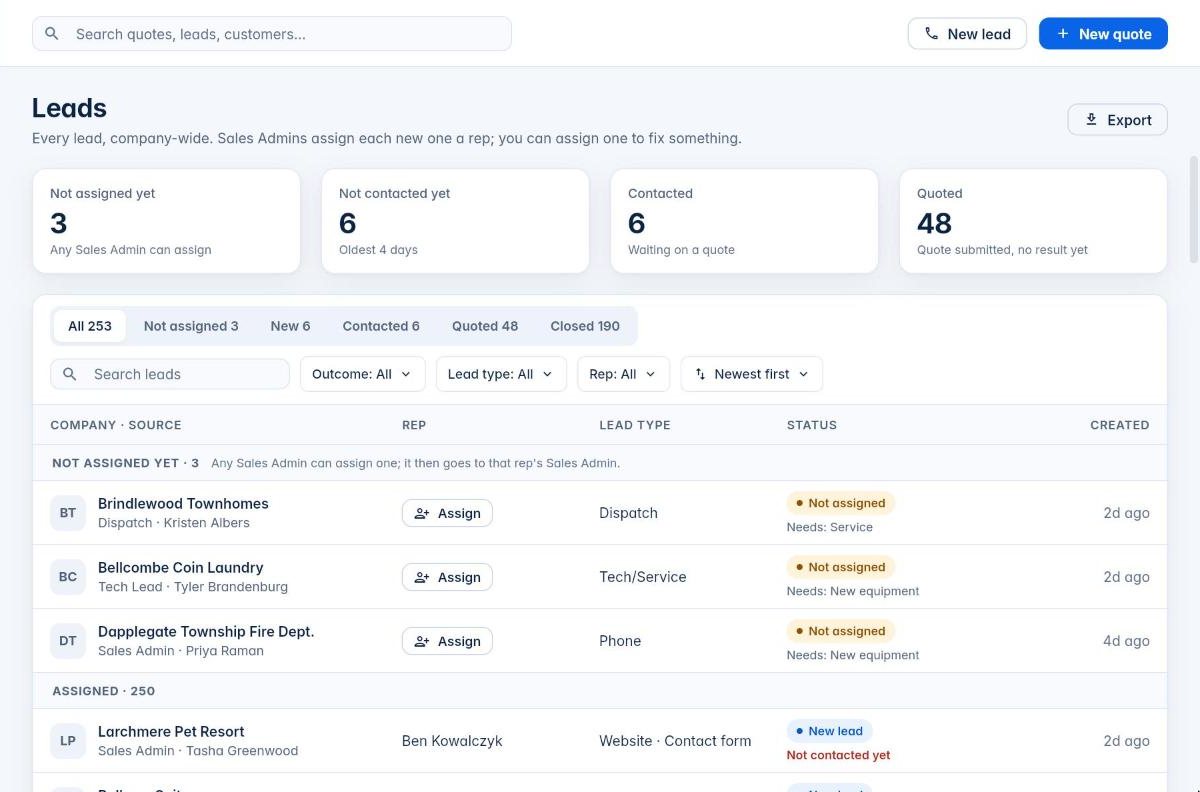
Anyone who takes a call can log a lead. New leads wait to be assigned to a rep, then go straight to that rep and their sales admin. Each lead keeps its own message thread, and when it’s ready it becomes a quote with the details carried over.

  • Not assigned, not contacted, contacted and quoted — counted at the top
  • Message thread on every lead
  • Filter by outcome, lead type and rep; export to CSV
  • Tech Leads: a technician’s lead is tracked all the way to the sale
InstallFlow Leads: counts for not assigned, not contacted, contacted and quoted, with new leads waiting to be assigned to a rep
Real InstallFlow screen · test data

Quote pipeline

From request to sold, with nothing lost in between.

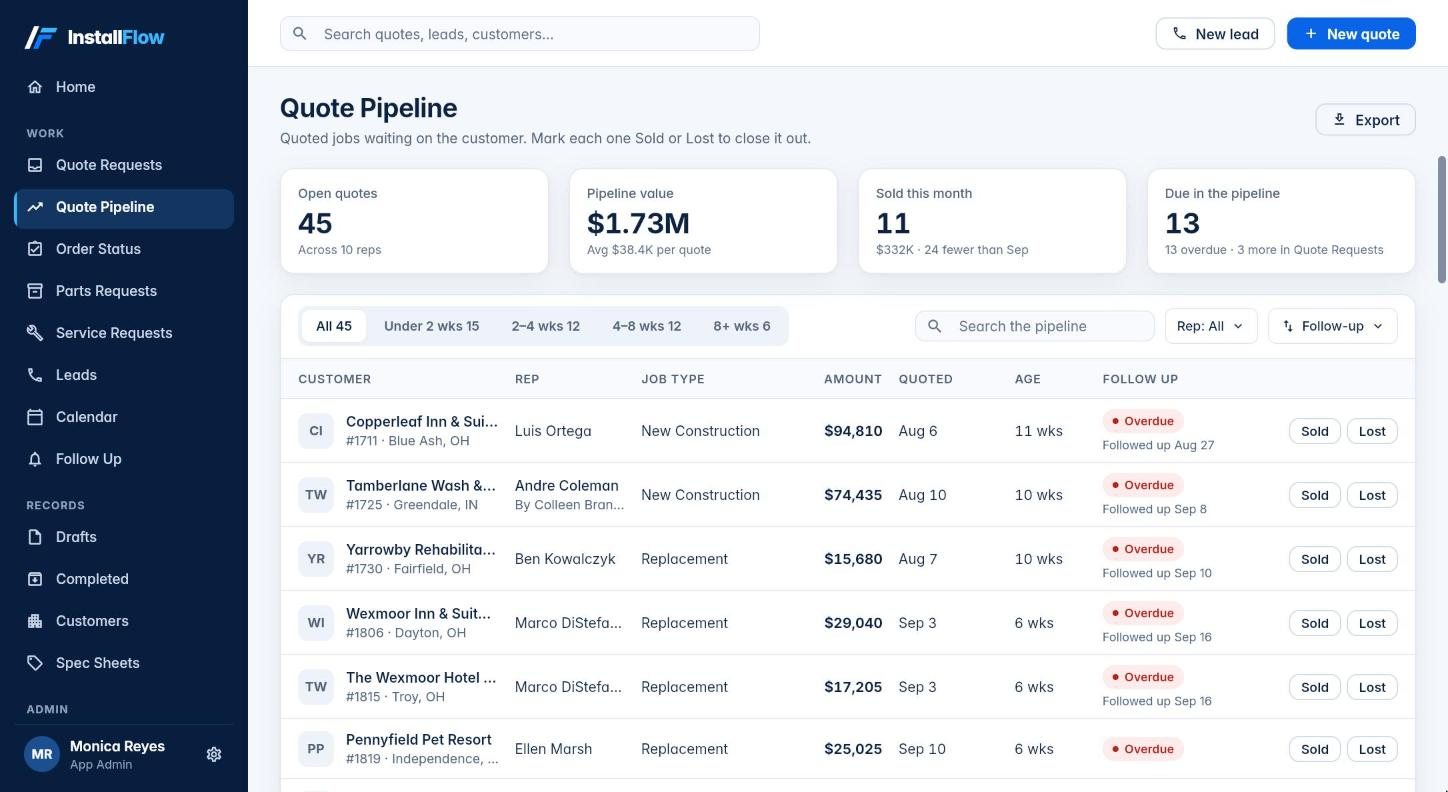
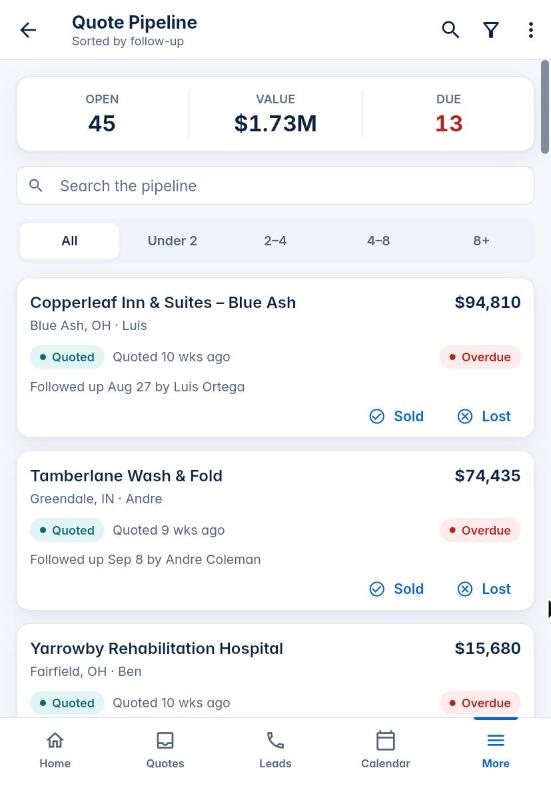
New requests wait in Quote Requests. Tag one Quoted and it moves to the Pipeline, sorted by how long it’s been out; mark it Sold or Lost to close it. Every list and badge reads from the same rules, so they always agree.

  • Pipeline value, open quotes and what’s due for follow-up at the top
  • Age buckets: under 2 weeks, 2–4, 4–8 and 8+
  • Message thread on every quote between the rep and the office
  • Print a clean quote sheet; 30-day restore for deleted quotes
InstallFlow Quote Pipeline: open quotes, pipeline value and quotes due for follow-up, with each quote's rep, job type, amount, age and Sold or Lost buttons
Real InstallFlow screen · test data

Orders & customers

Sold is where the work starts.

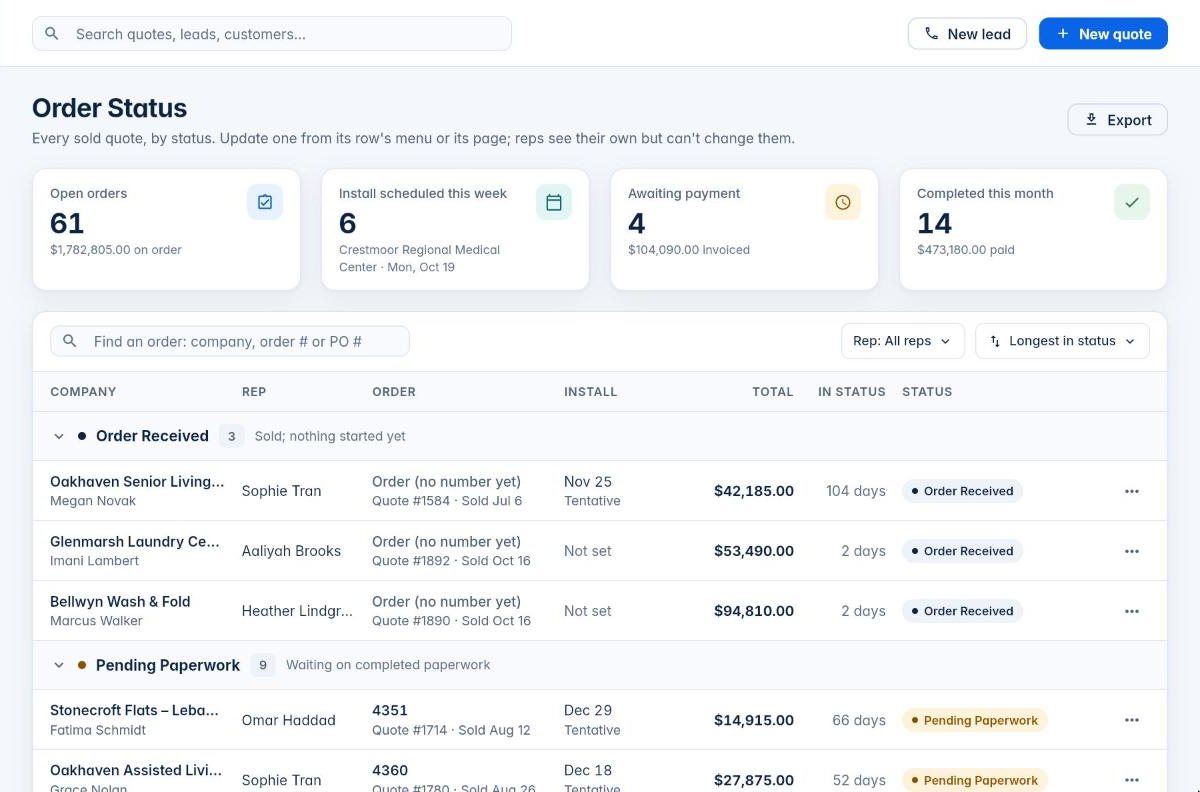
A sold quote becomes an order. Order Status groups every open order by where it stands — Order Received, Pending Paperwork, Pending Deposit or Waiver, Pending Equipment, Install or Delivery Scheduled — through to paid. Reps see their own; the office moves them along.

  • Days in status, so stuck orders stand out
  • Install date and total on every row
  • Customers: one per site address, holding every lead, quote, request and order there
  • Search by company, order number or PO
InstallFlow Order Status: every sold quote grouped by status, from Order Received to Pending Paperwork, with install dates, totals and days in status
Real InstallFlow screen · test data

Parts & service requests

After the sale, the requests have a home too.

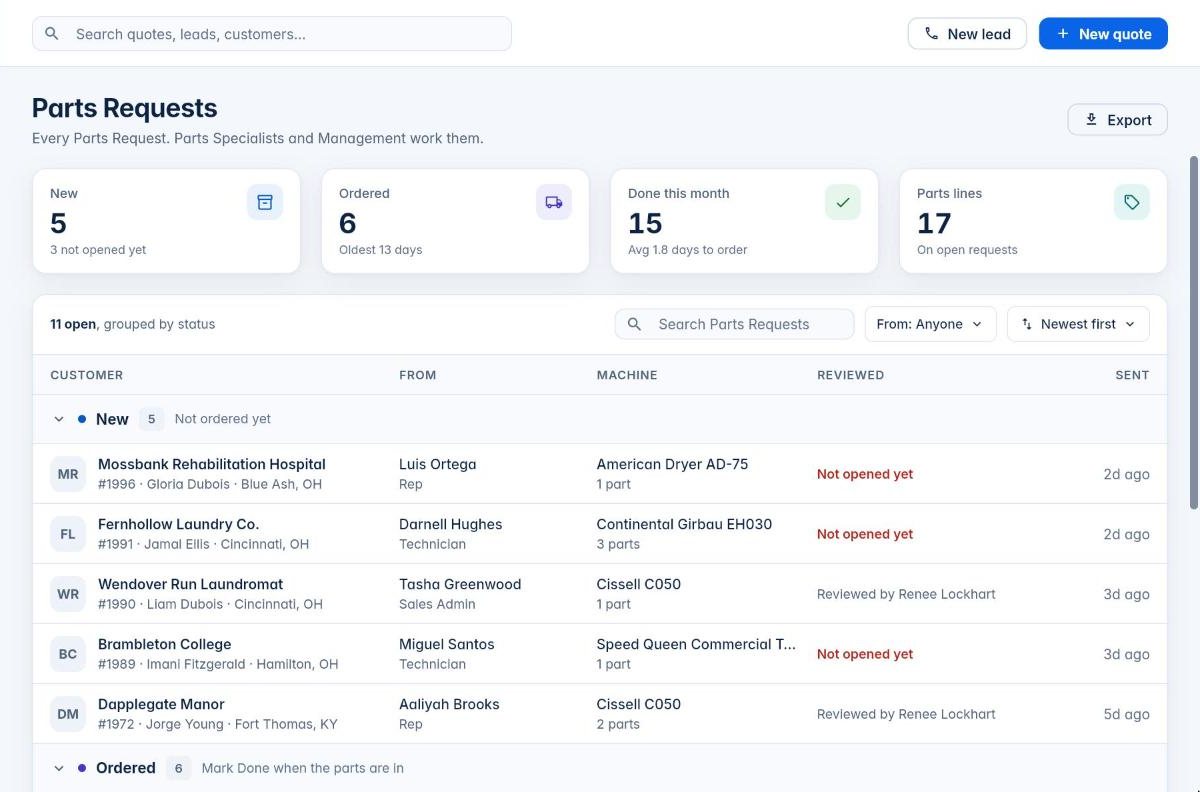
A rep or technician files a Parts Request or a Service Request for a customer’s machine. Parts Requests go to your Parts Specialists to review, order and mark done; Service Requests go to Dispatch, who put the visit on the calendar and mark it complete.

  • The machine, the parts or the problem, and who sent it
  • Grouped by status, with who reviewed each one
  • Service visits share the install calendar
  • Counted apart from sales in every report
InstallFlow Parts Requests grouped by New and Ordered, with the machine, number of parts and who reviewed each one
Real InstallFlow screen · test data

Install calendar & dispatch

One calendar the whole company trusts.

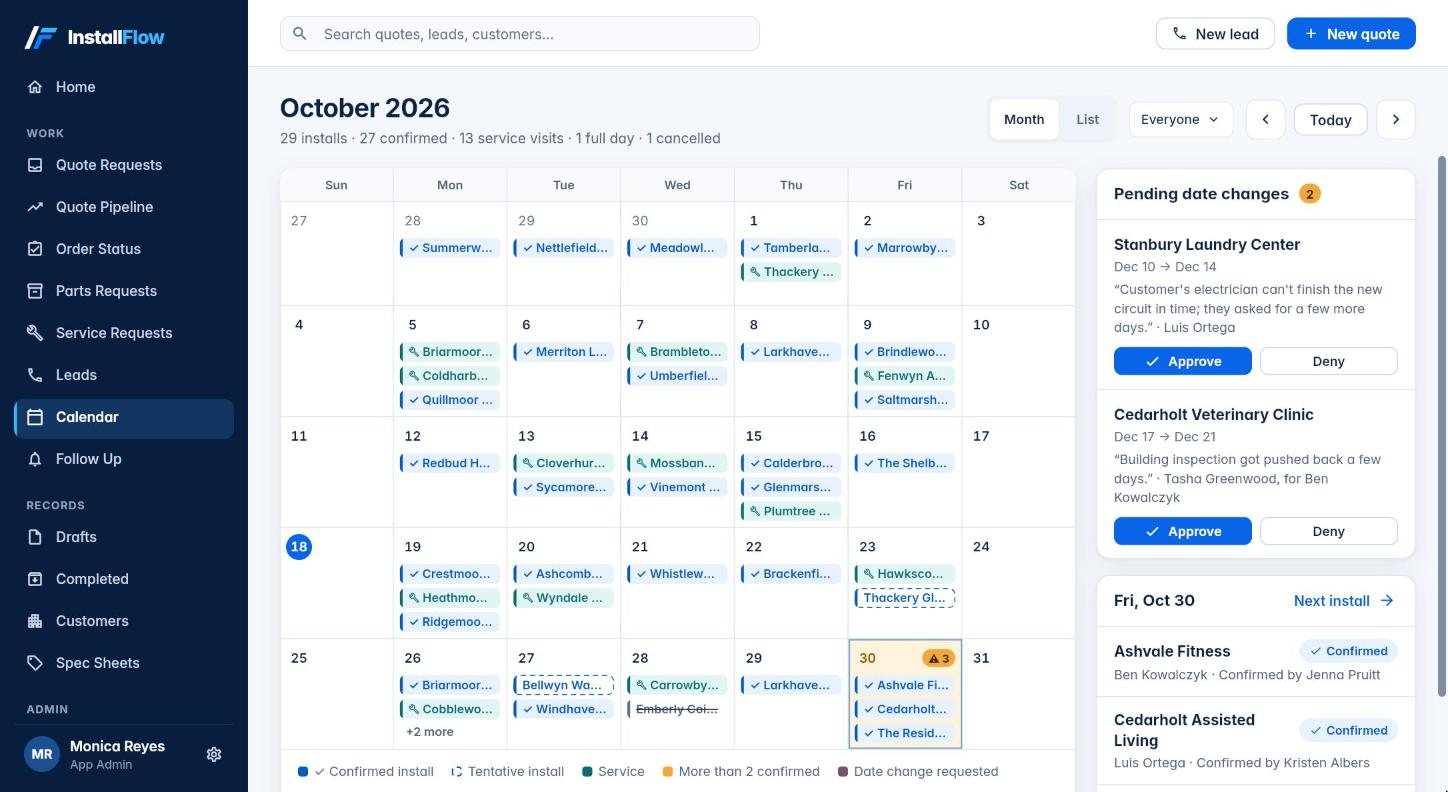
Installs and service visits share one calendar. Each install is marked confirmed or tentative, and a day that’s reached your installs-per-day limit is flagged as full. Reps and admins can request a new date; Dispatch or Management approve or deny it, and nobody approves their own change.

  • Confirmed and tentative installs, told apart at a glance
  • Full days flagged before they’re overbooked
  • Date-change requests with the reason, approved in one tap
  • Dispatch sees contact, address, equipment and notes — never prices
InstallFlow install calendar for October with confirmed and tentative installs, service visits, full days flagged, and date changes waiting for approval
Real InstallFlow screen · test data

Follow Up

Every open quote gets its check-in.

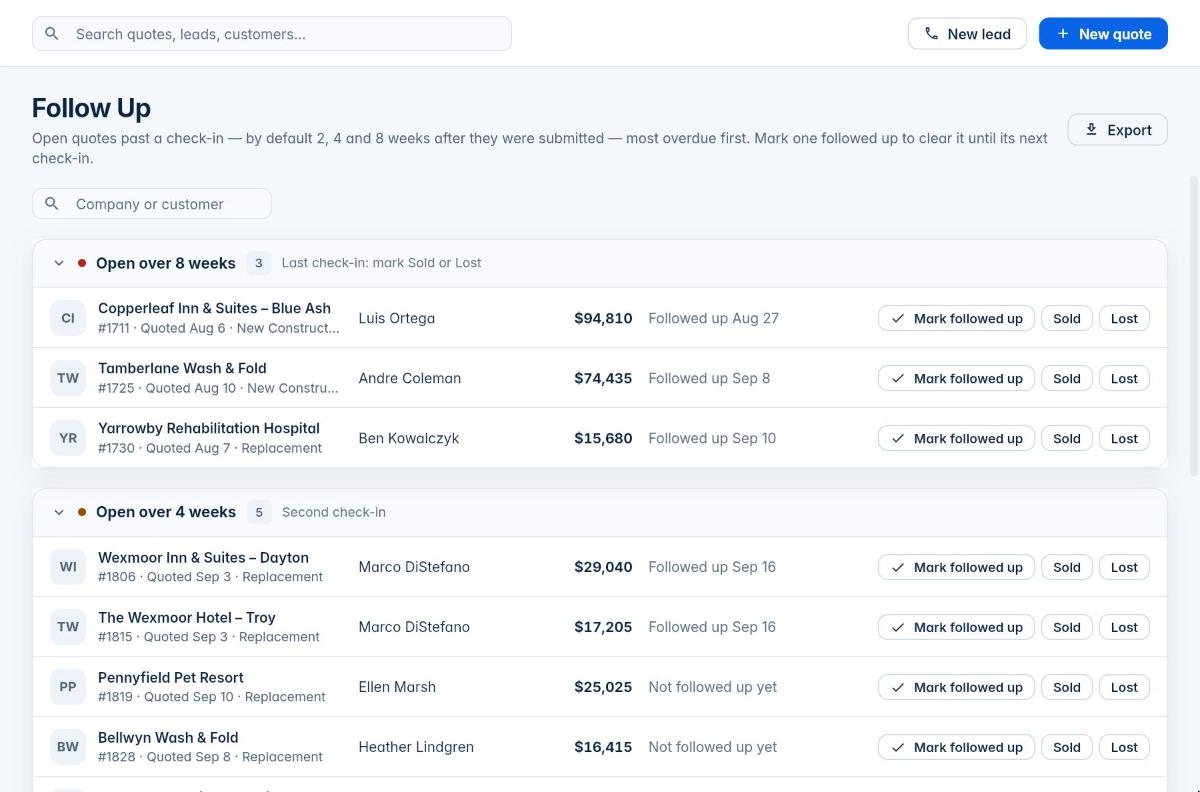
Open quotes come back for a follow-up 2, 4 and 8 weeks after they’re sent, most overdue first. Mark one followed up to clear it until its next check-in — or mark it Sold or Lost right there.

  • Grouped by over 2, 4 and 8 weeks
  • Who followed up last, and when
  • App Admins can set a sales admin’s follow-up schedule
  • Search by company or customer
InstallFlow Follow Up: open quotes grouped by how long they have been out, each with Mark followed up, Sold and Lost buttons
Real InstallFlow screen · test data

Reports

The numbers, without building a spreadsheet.

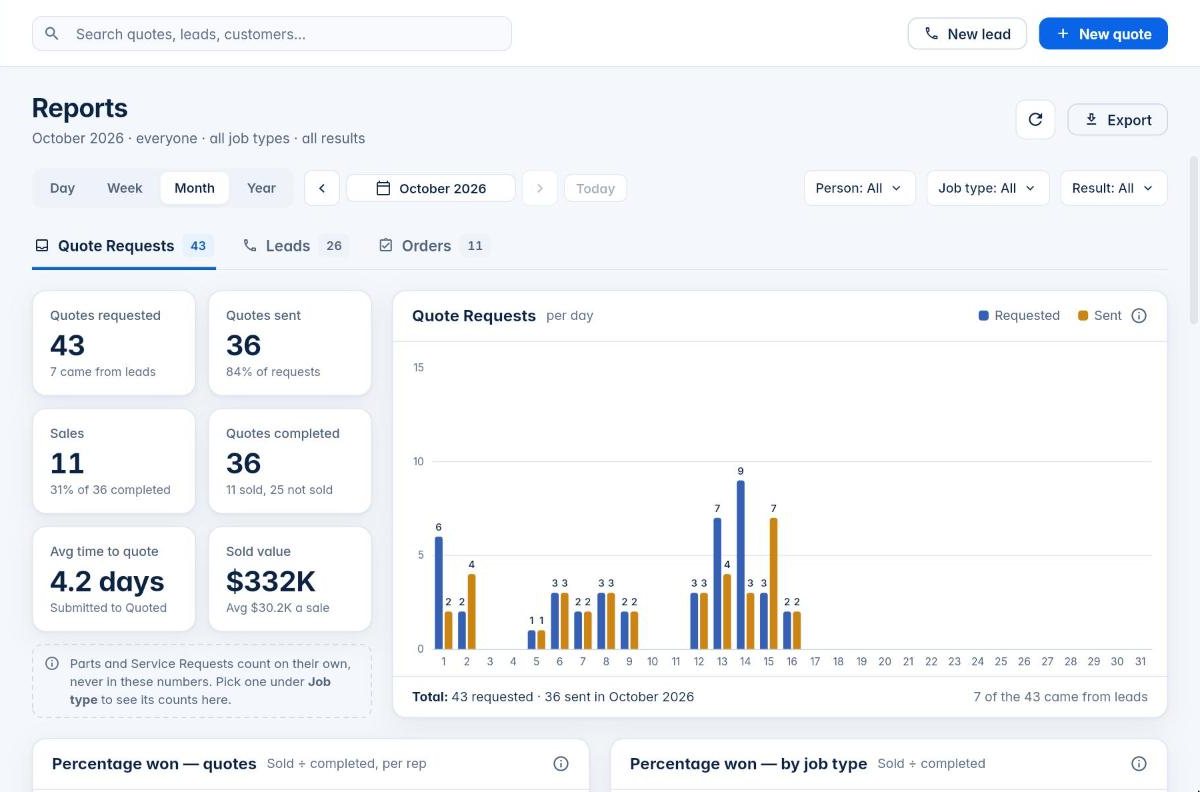
Pick a day, week, month or year and see quote requests, leads and orders: how many were requested and sent, how many sold, the average time to quote and the sold value — plus win rates by rep and by job type.

  • Filter by person, job type and result
  • Charts by day, with totals underneath
  • Tech Lead sold: every technician lead that turned into a sale
  • Export any report to CSV
InstallFlow Reports for October: quotes requested and sent, sales, average time to quote and sold value, with a per-day chart
Real InstallFlow screen · test data

Offline-ready app

Built for places without a signal.

InstallFlow installs from the browser to any phone or computer — no app store. Once installed it opens without a connection. Work saved offline shows “Waiting to send” and goes out automatically when the device is back online.

  • Installs on iPhone, Android, Windows and Mac
  • Quotes and leads save offline
  • Offline photos stay on the device until they upload
  • Updates itself — “New version ready, Reload”
The InstallFlow Quote Pipeline on a phone, with Sold and Lost buttons on each quote and a bottom tab bar
Real InstallFlow screen · test data

Roles & security

Access that matches how your company actually works.

Seven roles — Rep, Sales Admin, Management, Technician, Dispatch, Parts Specialist and App Admin — each with its own home screen. One person can hold more than one role. Permissions are enforced on the server, so a hidden button is never the only protection.

  • User management with guardrails for managers
  • Price-free views for technicians and dispatch
  • Sign in with a username; admins can reset access
  • Light and dark mode, saved per person

Seven roles, one app

RepSales AdminManagementTechnicianDispatchParts SpecialistApp Admin

Each role opens to its own home screen. Prices stay hidden from technicians and dispatch.

The details that save time every day

InstallFlow is built alongside the teams using it, and ships new work every few weeks. A few of the smaller things they asked for:

Search everywhere

Find any quote, lead or customer from the search bar at the top of every page, or search within any list.

Spec Sheets

A library of model spec sheets by manufacturer and equipment type, kept by your admins — with no prices on it.

Export to CSV

Leads, the pipeline, orders, customers, requests and reports all export to a spreadsheet in one click.

Customer pages

Every lead, quote, parts or service request and order at one site address, on one page.

Message threads

Questions about a lead or a quote stay with it, so the answer is there for whoever opens it next.

Print a quote

A clean, printable quote sheet from any quote, ready to hand over or file.

See it with your own workflow.

See how InstallFlow takes a job from the first phone call to a finished install — with your team’s roles, your process and your calendar.