
Quote requests from the field
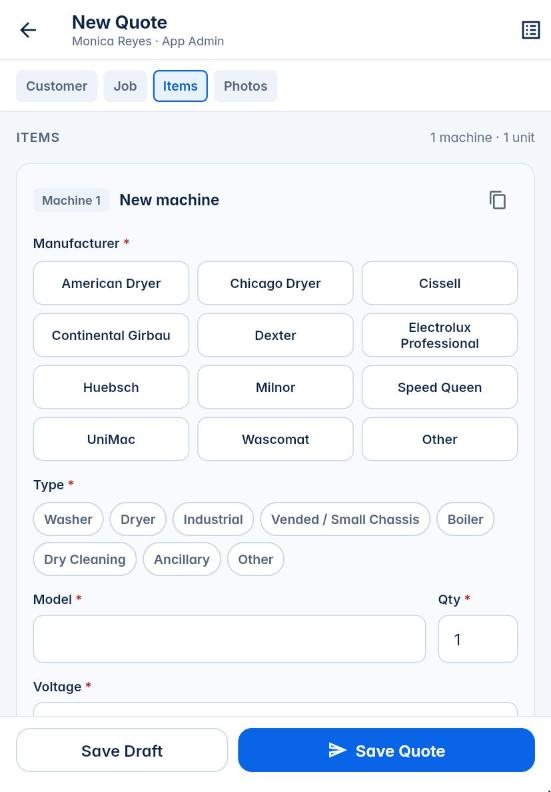
Reps and technicians capture the customer, site, equipment and photos right from their phone — no more texts, voicemails and missing details.
InstallFlow gives equipment sales and installation teams one connected workspace — from the first lead and the quote request in the field, to the order, the install, and the parts and service calls after.
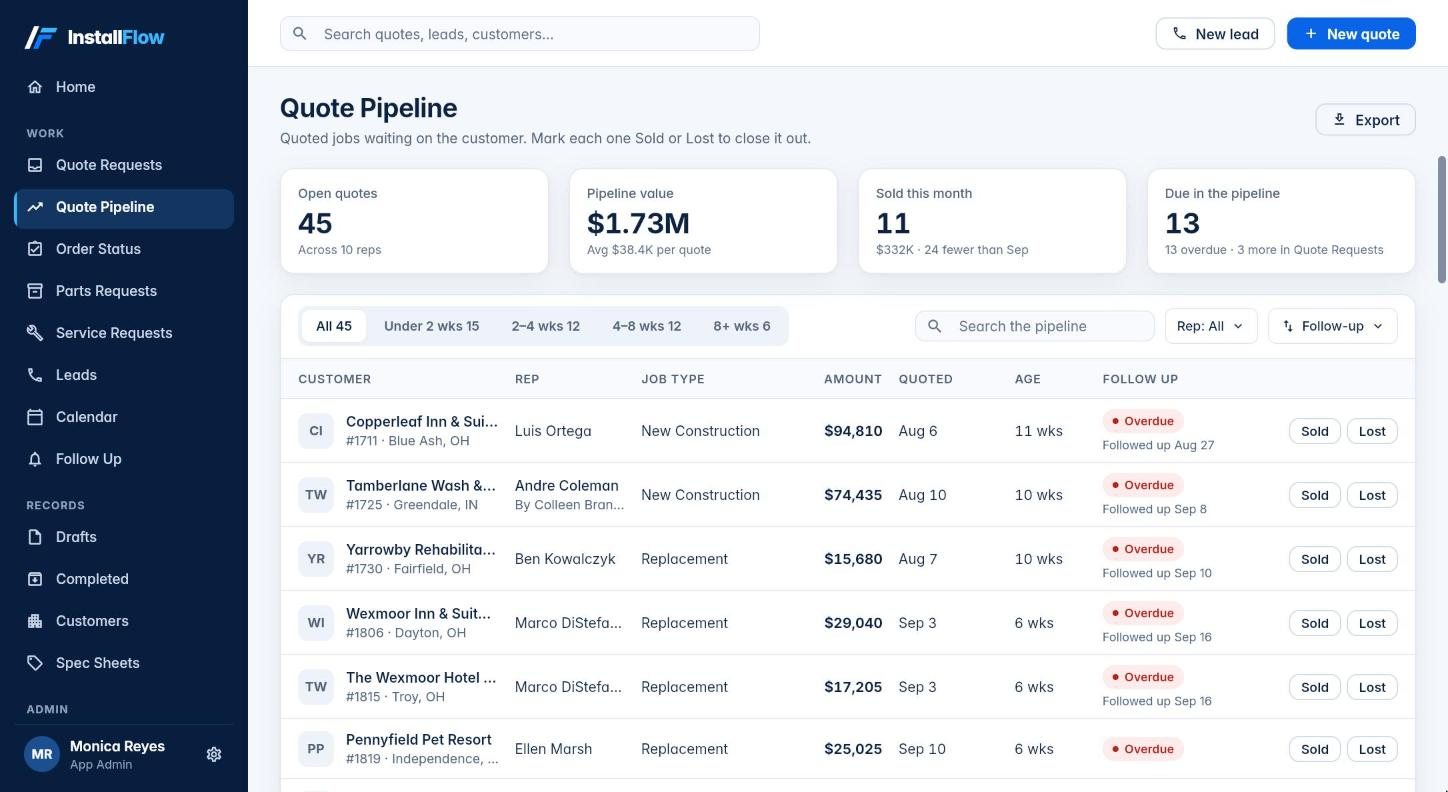
Replace scattered spreadsheets, calendar notes, text threads and status calls with one place that shows the work — and who has it next.
Reps and technicians capture the customer, site, equipment and photos right from their phone — no more texts, voicemails and missing details.
Log a phone or email lead once and it lands with the right rep and their sales admin. Turn it into a quote with the details already filled in.
Every quote moves from Request to Quoted to Sold or Lost, sorted by age, so the whole team knows what’s waiting, what’s out and what needs a call.
Mark a quote Sold and it becomes an order you track through paperwork, deposit, equipment and scheduling — until it’s installed and paid.
After the sale, Parts Requests go to your parts team and Service Requests go to Dispatch — each with the machine, the problem and who sent it.
Installs and service visits on one calendar, marked confirmed or tentative, with full days flagged. Date changes need approval — nothing moves quietly.
Open quotes come back for a check-in at 2, 4 and 8 weeks. Mark one followed up, Sold or Lost right from the list.
Quotes requested and sent, sales, time to quote, win rates by rep and job type — by day, week, month or year, and exportable.
Install InstallFlow on any phone. It opens with no signal, saves quotes and leads offline, and sends everything — photos too — when you’re back online.
InstallFlow keeps each step visible, so your team spends less time finding information and more time finishing the job.
A lead comes in or a rep files a quote request with photos from the site.
The sales admin prices it, messages the rep, and moves it into the pipeline.
Sold becomes an order, tracked through paperwork, deposit and equipment to an install date.
The install is done and paid — and parts or service calls later land on the same customer.
InstallFlow is designed around the day-to-day coordination that happens after a lead comes in and before the install is finished.
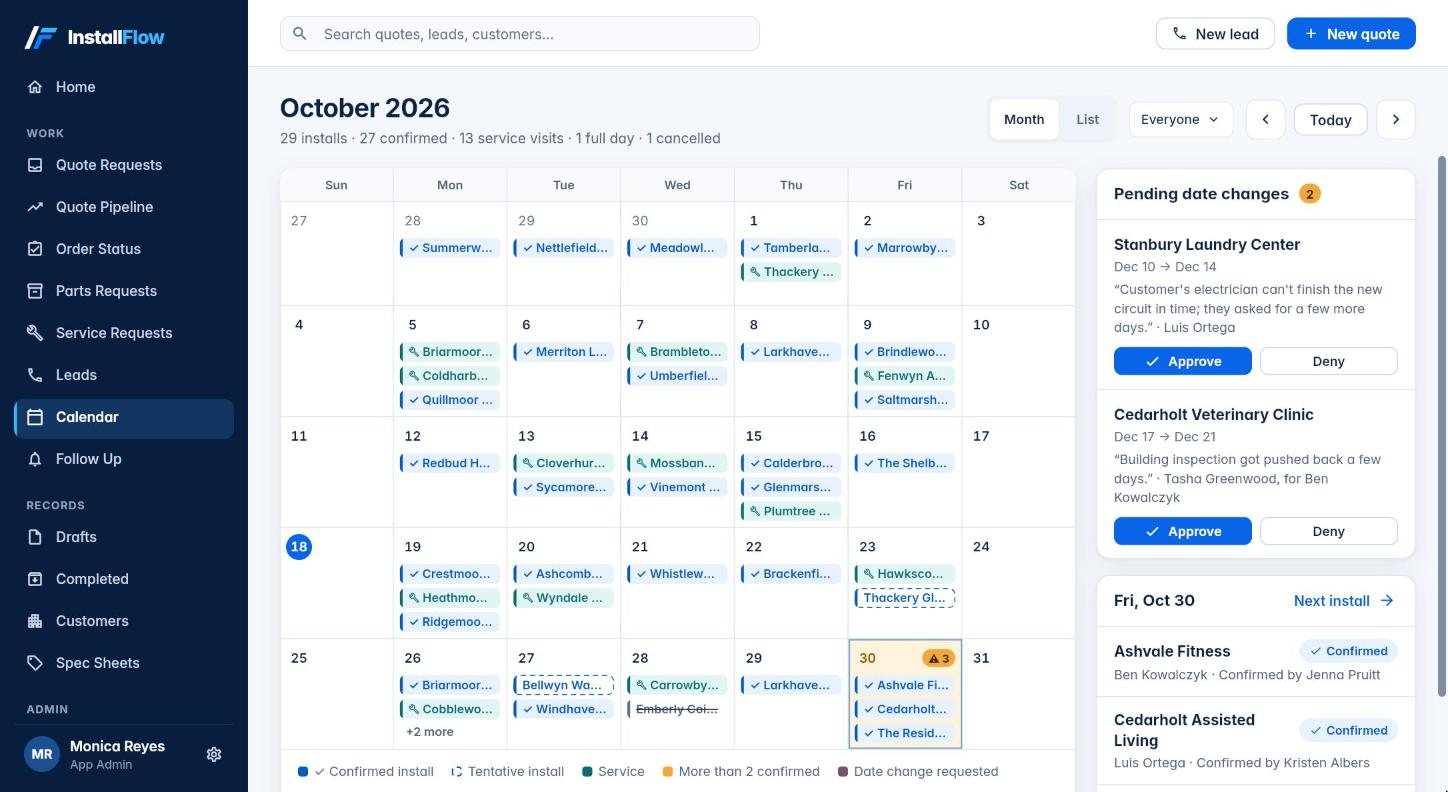
Each person signs in to a home screen built for their role, and access is enforced on the server — not just hidden in the app.
Submit quote requests from the job site, pick up new leads, and follow every quote to Sold.
Assign and price their reps’ leads and quotes, track orders, and keep the pipeline moving.
A company-wide view of leads, the pipeline, orders, reports and the install calendar.
File quotes, leads and parts or service requests from the field — without seeing prices.
Run the calendar: schedule installs and service visits, and approve date changes.
Work every Parts Request: review it, order the parts and mark it done when they’re in.
Manage users, roles and company settings, see everything, and restore deleted records.
One person can hold several roles — a sales admin who also dispatches sees both, in one sign-in.
Installation work doesn’t happen next to a router. InstallFlow installs to the home screen and keeps working when the signal drops.
Companies that sell equipment and then install it — where a sale passes from a rep in the field, to someone who prices it, to the people who schedule and do the install. It was built first for a commercial equipment dealer.
No. InstallFlow runs in the browser and installs to a phone or computer home screen straight from the web (“Install app” or “Add to Home Screen”). It works on iPhone, Android and desktop, and updates itself.
The installed app still opens. Quotes and leads save on the device and send automatically when the connection comes back. Photos taken offline stay on the phone and upload later.
Yes. Access follows each person’s role. Technicians and Dispatch never see quote prices; Dispatch works from a price-free copy of each install.
No. Once a quote sells it becomes an order you track to installed and paid, and the same customer’s parts and service requests live in InstallFlow too — each customer page holds every lead, quote, request and order at that address.
We set up your company, your users and their roles with you, then your team installs the app. Request a demo and we’ll walk through what that looks like for your team.
See how InstallFlow takes a job from the first phone call to a finished install — with your team’s roles, your process and your calendar.